It is a good practice to make sure all of your dip switches are set to the factory position on all of your flow selector boxes during installation. If the dip switches are not set in the factory position you will have L11 and E17 error codes to follow. You can verify the factory dip switch settings by looking at access door on the flow selector box. The L11 and E17 error codes can also be caused by wiring issues, good wiring practices can prevent having problems.
Changing dip switches on your flow selectors is not necessary because all of your flow selector addresses and port numbers are set using and codes 00FE and 0105 on your thermostat. Making sure your flow selector address and your flow selector port address is correct will make the start up process much easier. If care is taken and you have a good understanding of the wiring and installation of a VRF system the start up process can be close to seamless.
L11- Detected indoor unit address, Flow selector unit not connected.
E17- Communication trouble between indoor unit and flow selector unit.
Once you have logged in, you will need to save the equipment current configurations by choosing: “SAVE CONFIGS TO A FILE”. Align the arrow on the SAVE CONFIGS TO FILE option and press ENTER. Then press ENTER to make the STOP flash, use the UP or DOWN arrows to change the STOP to START and press ENTER. Once this is done, Choose Option 5 to UPGRADE SOFTWARE. Then scroll down to “FIND APPLICATION FILE” and press ENTER to change NO to YES.
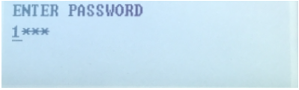
Then press ENTER to choose the USB Product Folders:
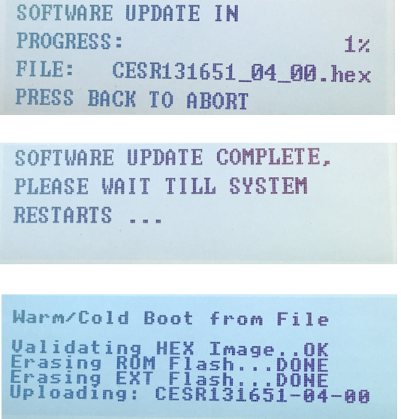
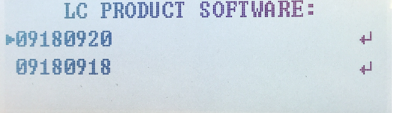
Then select the Product Software: Once selected press ENTER.

August 10, 2023
Pesky P201 Code
On 30RA to 30RB, this code can be a massive headache. With all the different options for these chillers can come with this alarm can send you down many different paths. We will break down a couple of basics to look at first to get the chiller back online. If this code still presents the chiller will not run.
The P201 Code read out is “Cooler Flow/Interlock Contacts Opened During Normal Operation”. This alarm is from the flow switch losing flow while the chiller has a run command active. This is the main safety for the water side of the chiller. This stops the chiller from freezing the evaporator barrel. This is why you never jump the flow switch on any style chiller.
The first thing to look at when you have this alarm is to check if the chilled water pump is working. Once that is verified, check and make sure to use either a peach plug or the gauges on the piping. If you use the gauges on the piping, use only one gauge to pull the gauge from one side so you can have a standard. Once verified, pressure drop check the flow switch. Clean the flow switch if it’s dirty.
If the alarm is still present, replace the sensor – especially if it has been in the machine for a few years at least. Once all this has been checked, make sure you don’t have an external flow from the BAC. If that is all good hit the switch and fire the chiller up. These are some good steps to keep when checking water flow issues.
Disclaimer: The technical statements, information and recommendations contained herein are believed to be accurate as of the date hereof, but Mingledorff’s does not make representations or warranties, express or implied, as to its accuracy, its completeness, or the results to be obtained. The information is being provided for informational purposes only and is intended for use by persons having adequate skill and expertise regarding the proper selection, use and application of the products and recommendations and at their own risk and discretion.
More to Explore