

John Brown

Technical Services Manager Southeast District

November 5, 2026

CARRIER 1PH VRF

MITIGATION LOCKOUT RESET


The last few years have brought many changes to the HVAC industry in the form of refrigerant changes. Everyone loves change, right? With the changes to refrigerant there was also an introduction of the next generation of Carrier equipment complete with more advanced install and service requirements.


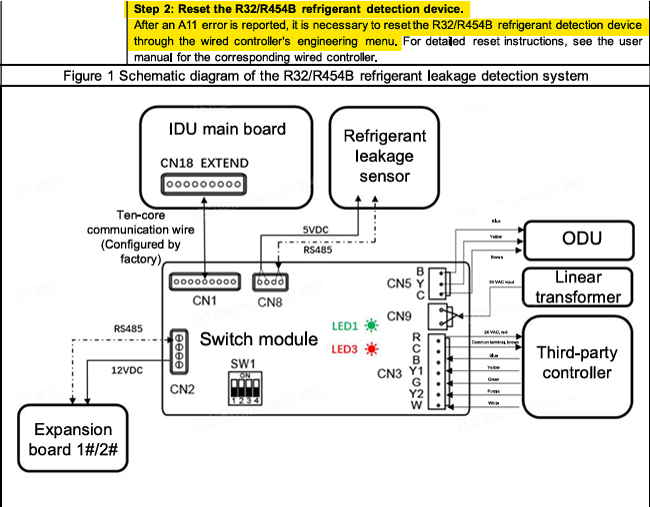
The introduction of 454B required the use of mitigation sensors to sense refrigerant leaks due to its mildly flammable behavior under certain conditions. Another company installed a Carrier 1PH VRF system 6 months ago and had nothing but issues due to lacking install practices. The end user is not happy with the installing company nor the equipment at this point. Instead of dealing with yet another month of issues, the end user called you out to take a look.
 
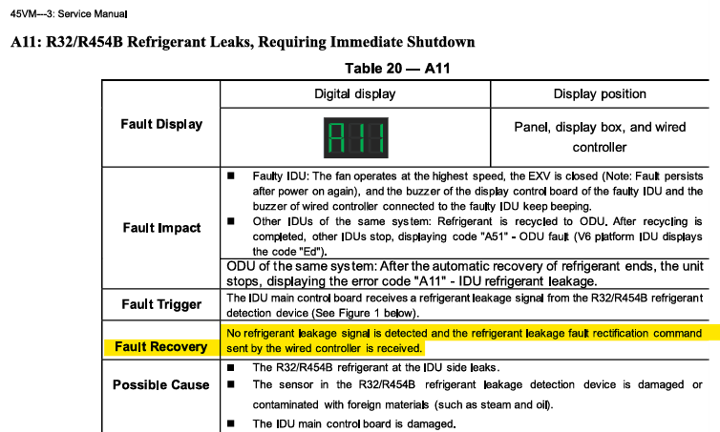
You arrive at the jobsite to find four indoor units and the connected outdoor unit showing an A11 error. A11 is a mitigation alarm lockout due to a leak being detected by the mitigation sensor. Checking over the systems you find 2 of the 4 units with very poorly solder connections tripping the sensor inside the IDU. You pull the rest of what is left of the charge, fix the leaks, pressurize for 24 hours and it holds. Fantastic! You continue by pulling a good vacuum under 500 microns and apply the charge written down on the unit using the piping diagram from install.
 

After turning power on, your heart drops, the A11 error returns. Looking through the manuals you don’t find any way to reset this code and call Mingledorff’s Technical Support. After going through the system with tech support, it’s determined that you need to reset the code via the native thermostat. Walking around you find that the entire system is using 24V thermostats and not native control. Surely there’s a way to reset this A11 code, right? There’s got to be a work around. Sadly, no. 

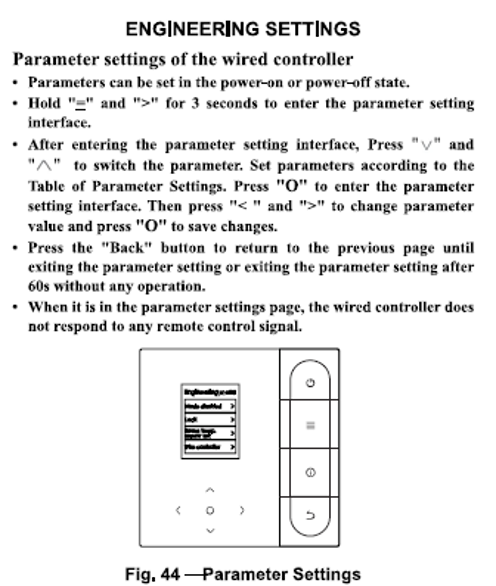
Resetting a hard lockout on single phase Carrier VRF system is very simple once you acquire a native communicating thermostat. The process starts with removing any other controls off the IDU being reset, including any 24V controllers. Once the native stat is the only control on the system and powered up you need to navigate a menu system to perform the actual reset process.
 
1. Enter Engineering Settings: Press “=” and “>” buttons at the same time for 3+ seconds.

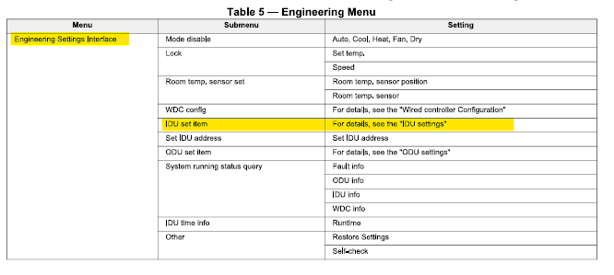
2. Pressing up/down navigate to “IDU SET ITEM / IDU SETTINGS” and press “O” button to confirm.

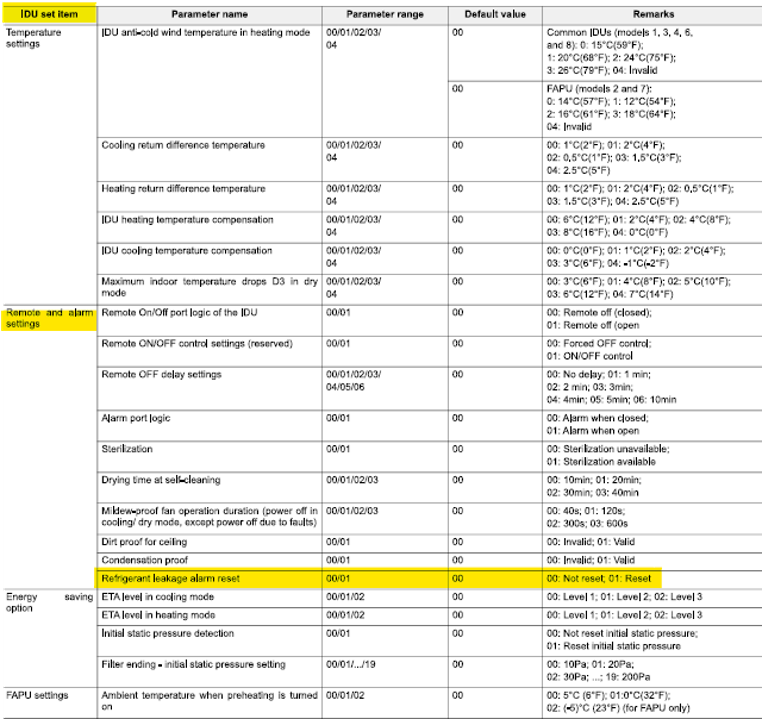
3. Navigate to “REMOTE AND ALARM SETTINGS” and confirm.

4. Scroll down to “REFRIGERANT LEAKAGE ALARM RESET. Confirm.

5. Default value: “00” NOT RESET.

6. Change the value to “01” RESET. Confirm.

7. Back out of the engineering menu to the home screen.

After a few mins the system should reset and start to operate.

Congratulations! You’ve now made a customer happy and gained some knowledge of this equipment. My advice is to keep a native thermostat on every service truck or in the office for this exact reason.


Until next month, JB signing off again.


Disclaimer: The technical statements, information and recommendations contained herein are believed to be accurate as of the date hereof, but Mingledorff’s does not make representations or warranties, express or implied, as to its accuracy, its completeness, or the results to be obtained. The information is being provided for informational purposes only and is intended for use by persons having adequate skill and expertise regarding the proper selection, use and application of the products and recommendations and at their own risk and discretion. 



More to Explore

By Jesse Van Atta • November 2, 2026
Disclaimer: The technical statements, information and recommendations contained herein are believed to be accurate as of the date hereof, but Mingledorff’s does not make representations or warranties, express or implied, as to its accuracy, its completeness, or the results to be obtained. The information is being provided for informational purposes only and is intended for use by persons having adequate skill and expertise regarding the proper selection, use and application of the products and recommendations and at their own risk and discretion. 
By Jesse Van Atta • November 2, 2026
Disclaimer: The technical statements, information and recommendations contained herein are believed to be accurate as of the date hereof, but Mingledorff’s does not make representations or warranties, express or implied, as to its accuracy, its completeness, or the results to be obtained. The information is being provided for informational purposes only and is intended for use by persons having adequate skill and expertise regarding the proper selection, use and application of the products and recommendations and at their own risk and discretion.