It is a good practice to make sure all of your dip switches are set to the factory position on all of your flow selector boxes during installation. If the dip switches are not set in the factory position you will have L11 and E17 error codes to follow. You can verify the factory dip switch settings by looking at access door on the flow selector box. The L11 and E17 error codes can also be caused by wiring issues, good wiring practices can prevent having problems.


Changing dip switches on your flow selectors is not necessary because all of your flow selector addresses and port numbers are set using and codes 00FE and 0105 on your thermostat. Making sure your flow selector address and your flow selector port address is correct will make the start up process much easier. If care is taken and you have a good understanding of the wiring and installation of a VRF system the start up process can be close to seamless.


L11- Detected indoor unit address, Flow selector unit not connected.


E17- Communication trouble between indoor unit and flow selector unit.

Once you have logged in, you will need to save the equipment current configurations by choosing: “SAVE CONFIGS TO A FILE”. Align the arrow on the SAVE CONFIGS TO FILE option and press ENTER. Then press ENTER to make the STOP flash, use the UP or DOWN arrows to change the STOP to START and press ENTER. Once this is done, Choose Option 5 to UPGRADE SOFTWARE. Then scroll down to “FIND APPLICATION FILE” and press ENTER to change NO to YES.
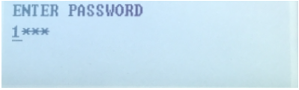
“ENTER PASSWORD” prompt with masked input showing “1***” on a pale blue screen

Then press ENTER to choose the USB Product Folders:
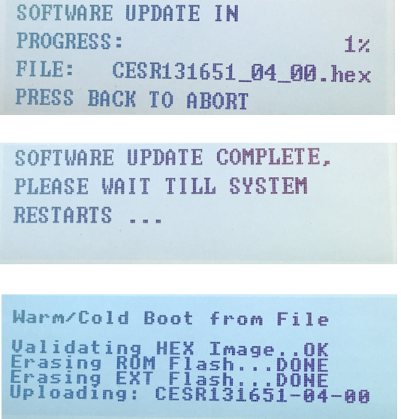
Retro device screen showing software update progress, completion, and boot messages

Then select the Product Software: Once selected press ENTER.
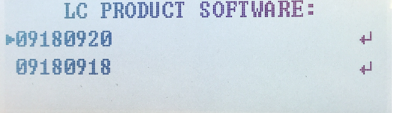
Blue text on a white screen reading “LC PRODUCT SOFTWARE:” with two numbers below.
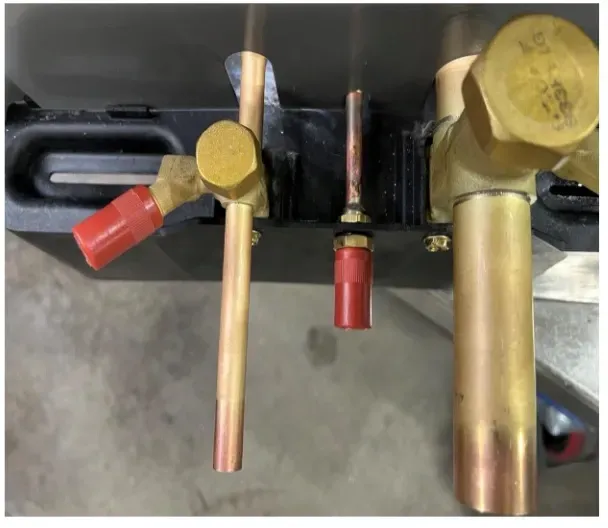
Brass valves and red handles on a black machine panel, with copper pipes and fittings.

Kevin Livingston

Technical Services Manager North Georgia District

September 14, 2023

NIMs – Network Interface Module

Recently we have been getting calls from techs about NIMS installations. One caller recently said he had an infinity system with an “infinity” water source heat pump with a no cool call (as told by the homeowner to the tech). The infinity interface was giving a 179 code, or no communicating with the outdoor unit.

This installation was on a 4-story home, and the tech had not yet gone to the basement to troubleshoot the “infinity” water source heat pump, as he was told he by the homeowner. He was in the attic at the infinity furnace above the 4th floor. He was getting his dcv in the proper range on his A and B green plug on the air handler, 3 to 4 vdc. His indoor board ohm reading was in range, 28k to 32 k. The tech ohmed out the A and B thermostat wires on the water source heat pump from the upstairs. His ohm reading was not in range of a normal infinity board. His reading was around 64.4k. The tech then made the long walk to the basement where the “geothermal heat pump” was located. Bingo.

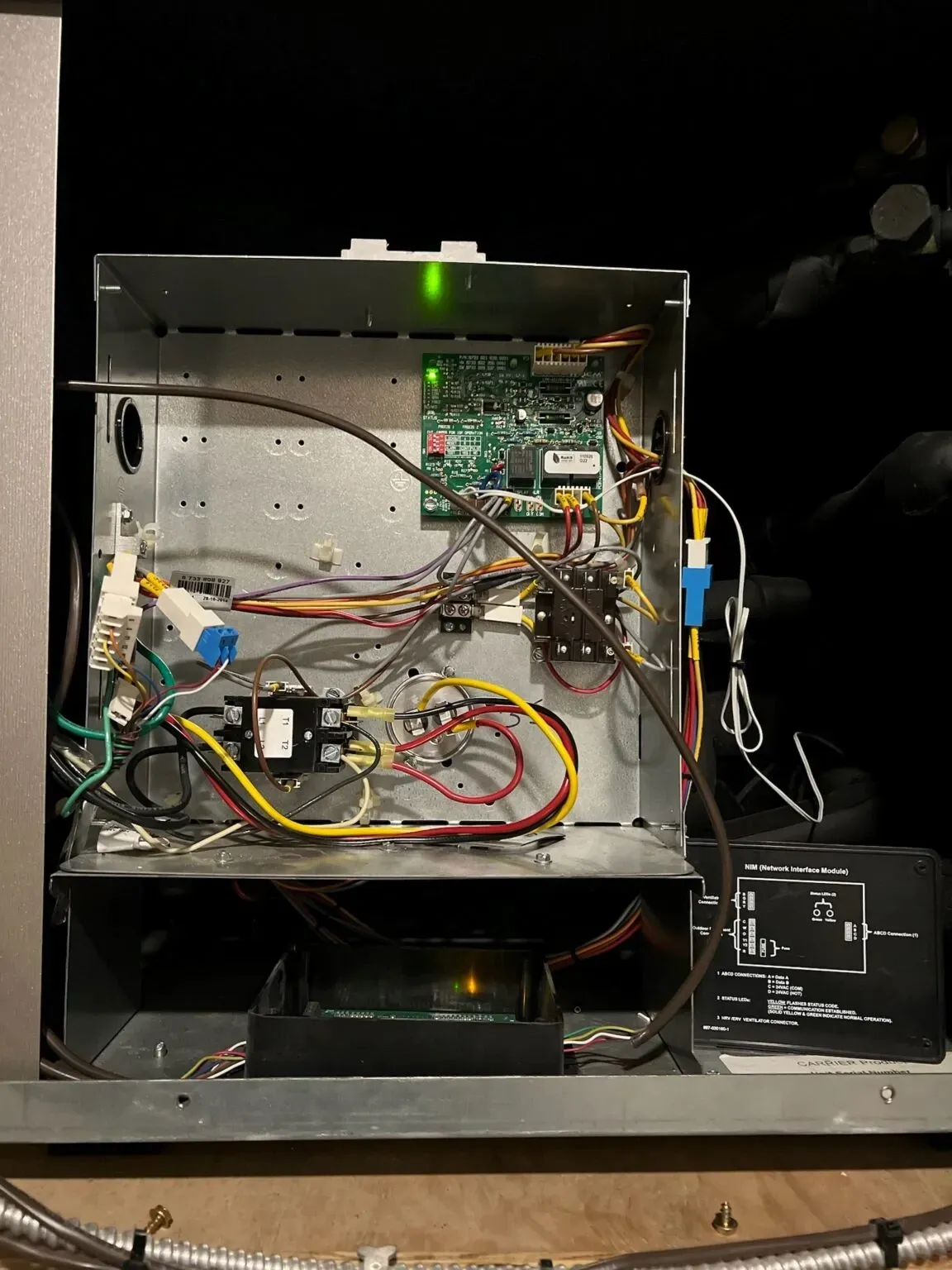
Open metal electronics enclosure with circuit boards, wires, and a green status LED on a workbench

He then found the NIMS installation with a geothermal heat pump. “The infinity” geothermal heat pump is what he was told by the homeowner. But in reality, it was a geothermal heat pump communicating by use of the NIMS installation


He was ohming out the NIMS module. We suggested that he try running new thermostat wire, or using 2 extra wires in the bundle not being used. Once he made the changes to the wires on the NIMS and the indoor infinity furnace, guess what. The code 179 went away. The geothermal heat pump then began operating. Communication was established. So thus, it was not communicating with the older thermostat wires, but operated and communicated with the indoor infinity furnace and UI with the newer thermostat wires.


So, the NIMs installations is definitely a tool all techs could use if needed on certain installations. The Network Interface Module (NIM) is used to interface the following devices to the Infinity ABCD bus so they can be controlled by the Infinity System. The following devices do not have communication ability and the NIM is required to control: • A Heat Recovery Ventilator / Energy Recovery Ventilator (HRV/ERV) (when zoning is not applied). • A non-communicating single-speed heat pump with Infinity furnace (dual fuel application only). • A non-communicating two-speed outdoor unit (R-22 Series-A unit)


More information on the NIMS can be found in HVAC Partners, or on your Carrier or Bryant service app.


So what have we learned from this article?


  1. What is a NIMS? A Network Interface Module
  2. Some equipment can be operated similar to an infinity/evolution system with the installation of a NIMS
  3. Always listen to your customer, and check out all components of the service call before making a repair attempt (could save you a lot of time)
  4. The NIMS must be installed out of the weather.
  5. The full installation of the NIMS application can be found in HVAC partners or the Carrier/Bryant service app

Disclaimer: The technical statements, information and recommendations contained herein are believed to be accurate as of the date hereof, but Mingledorff’s does not make representations or warranties, express or implied, as to its accuracy, its completeness, or the results to be obtained. The information is being provided for informational purposes only and is intended for use by persons having adequate skill and expertise regarding the proper selection, use and application of the products and recommendations and at their own risk and discretion.


More to Explore

September 16, 2026
Disclaimer: The technical statements, information and recommendations contained herein are believed to be accurate as of the date hereof, but Mingledorff’s does not make representations or warranties, express or implied, as to its accuracy, its completeness, or the results to be obtained. The information is being provided for informational purposes only and is intended for use by persons having adequate skill and expertise regarding the proper selection, use and application of the products and recommendations and at their own risk and discretion. 
By Jesse Van Atta September 16, 2026
Disclaimer: The technical statements, information and recommendations contained herein are believed to be accurate as of the date hereof, but Mingledorff’s does not make representations or warranties, express or implied, as to its accuracy, its completeness, or the results to be obtained. The information is being provided for informational purposes only and is intended for use by persons having adequate skill and expertise regarding the proper selection, use and application of the products and recommendations and at their own risk and discretion.